

Перейти к контенту
View in the app

A better way to browse. Learn more.

MMCFLASH

A full-screen app on your home screen with push notifications, badges and more.

To install this app on iOS and iPadOS
  1. Tap the Share icon in Safari
  2. Scroll the menu and tap Add to Home Screen.
  3. Tap Add in the top-right corner.
To install this app on Android
  1. Tap the 3-dot menu (⋮) in the top-right corner of the browser.
  2. Tap Add to Home screen or Install app.
  3. Confirm by tapping Install.

Leaderboard

Popular Content

Showing content with the highest reputation on 12.05.2018 in all areas

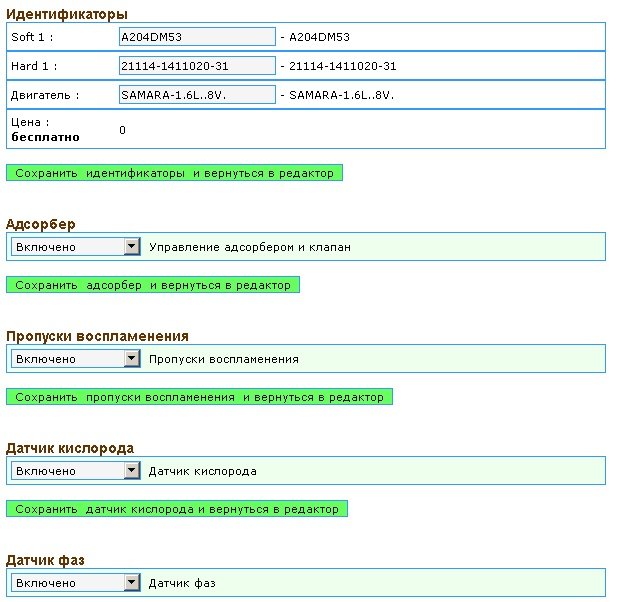
  1. В редакторе прошивок ВАЗ теперь доступна работа с блоком Январь 7.2 . Причем совершенно бесплатно! В редакторе прошивок Январь 7.2 доступны : Отключение адсорбера Отключение пропусков воспламенения Отключение датчика кислорода Отключение датчика фаз Регулировка температуры включения и выключения вентилятора Регулировка оборотов холостого хода Флаги комплектации Маска ошибок
  2. Считано десятой версией по CAN, через диагностический разъем colt 1.3l robot 1860a032 8631a997 jm3607.rar

Account

Navigation

Поиск

Поиск

Configure browser push notifications

Chrome (Android)
  1. Tap the lock icon next to the address bar.
  2. Tap Permissions → Notifications.
  3. Adjust your preference.
Chrome (Desktop)
  1. Click the padlock icon in the address bar.
  2. Select Site settings.
  3. Find Notifications and adjust your preference.