

Перейти к контенту
View in the app

A better way to browse. Learn more.

MMCFLASH

A full-screen app on your home screen with push notifications, badges and more.

To install this app on iOS and iPadOS
  1. Tap the Share icon in Safari
  2. Scroll the menu and tap Add to Home Screen.
  3. Tap Add in the top-right corner.
To install this app on Android
  1. Tap the 3-dot menu (⋮) in the top-right corner of the browser.
  2. Tap Add to Home screen or Install app.
  3. Confirm by tapping Install.

Leaderboard

Popular Content

Showing content with the highest reputation on 21.02.2019 in all areas

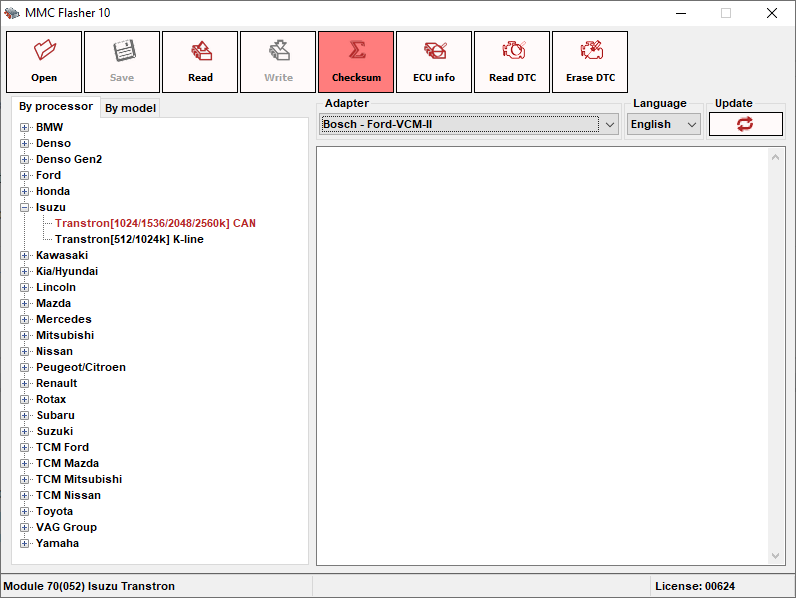
  1. Чтение/Запись прошивки Чтение/Удаление ошибок Проверка/Исправление контрольной суммы Модуль автоматически определяет размер. Поддерживаются все рынки. Читается фул Час, запись 10-15 мнут, машин и грузовиков. Спецтехника есть ЭБУ пишется ЧАС SH7059 процессор. Применяемые процессоры SH7058, SH7059, SH72533, SH72544 Примерно моторы которые откатывали и которые присылали: 4HK1, 4JJ1, 6UZ1, 4JK1, 6HK1
Account

Navigation

Поиск

Поиск

Configure browser push notifications

Chrome (Android)
  1. Tap the lock icon next to the address bar.
  2. Tap Permissions → Notifications.
  3. Adjust your preference.
Chrome (Desktop)
  1. Click the padlock icon in the address bar.
  2. Select Site settings.
  3. Find Notifications and adjust your preference.
