

Перейти к контенту
View in the app

A better way to browse. Learn more.

MMCFLASH

A full-screen app on your home screen with push notifications, badges and more.

To install this app on iOS and iPadOS
  1. Tap the Share icon in Safari
  2. Scroll the menu and tap Add to Home Screen.
  3. Tap Add in the top-right corner.
To install this app on Android
  1. Tap the 3-dot menu (⋮) in the top-right corner of the browser.
  2. Tap Add to Home screen or Install app.
  3. Confirm by tapping Install.

alphamusic

MMC User
  • Регистрация

  • Последнее посещение

  1. тема форума ответил на alphamusic автора alphamusic в For English Users
    reading file was ok... i send you all also log file... fucking pullshit
  2. тема форума ответил на alphamusic автора alphamusic в For English Users
    i hear build 012 is out we have 011
  3. тему создал alphamusic в For English Users
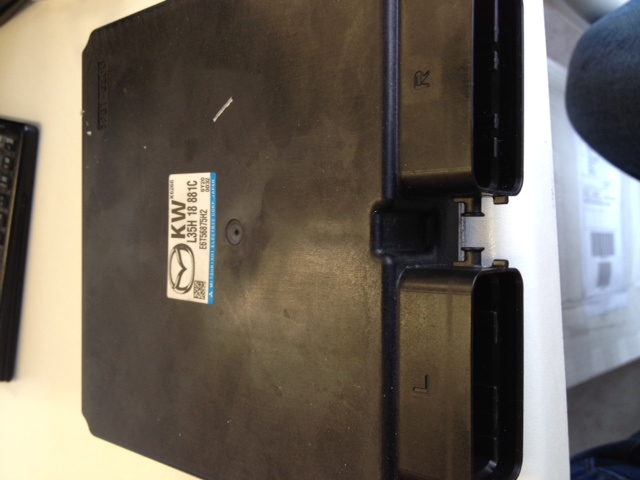
    hello... did a mazda mps 3 reading ok writing error [08:53:31] Writing ROM [08:53:31] SW: L35HEH000L3T6060 [08:53:32] VIN: JMZBK1xxxxxxxxxxxxxx [08:53:35] Erasing ROM... [08:53:51] OK [08:53:51] Writing ROM... [08:53:51] ERROR
  4. сообщение в теме ответил на alphamusic в For English Users
    File attached... secound question.. Mazda 3 MPS Year 2010 Reading not possible .. any idea?
  5. тема форума ответил на oltmann автора alphamusic в For English Users
    hi Bruce... we are new customer of you with mazda plugin! used piasini for a lot of time for flashing.. did you have any mps 3 stock file which you read with your tool... until now i dont have a car here.. thanks a lot Chris Anyway what is l8test version of mmcflash ?

Account

Navigation

Поиск

Поиск

Configure browser push notifications

Chrome (Android)
  1. Tap the lock icon next to the address bar.
  2. Tap Permissions → Notifications.
  3. Adjust your preference.
Chrome (Desktop)
  1. Click the padlock icon in the address bar.
  2. Select Site settings.
  3. Find Notifications and adjust your preference.