Перейти к контенту
View in the app

A better way to browse. Learn more.

MMCFLASH

A full-screen app on your home screen with push notifications, badges and more.

To install this app on iOS and iPadOS
  1. Tap the Share icon in Safari
  2. Scroll the menu and tap Add to Home Screen.
  3. Tap Add in the top-right corner.
To install this app on Android
  1. Tap the 3-dot menu (⋮) in the top-right corner of the browser.
  2. Tap Add to Home screen or Install app.
  3. Confirm by tapping Install.

Gros

Пользователи
  • Регистрация

  • Последнее посещение

  1. тема форума ответил на Dmitry_116 автора Gros в Ремонт блоков управления
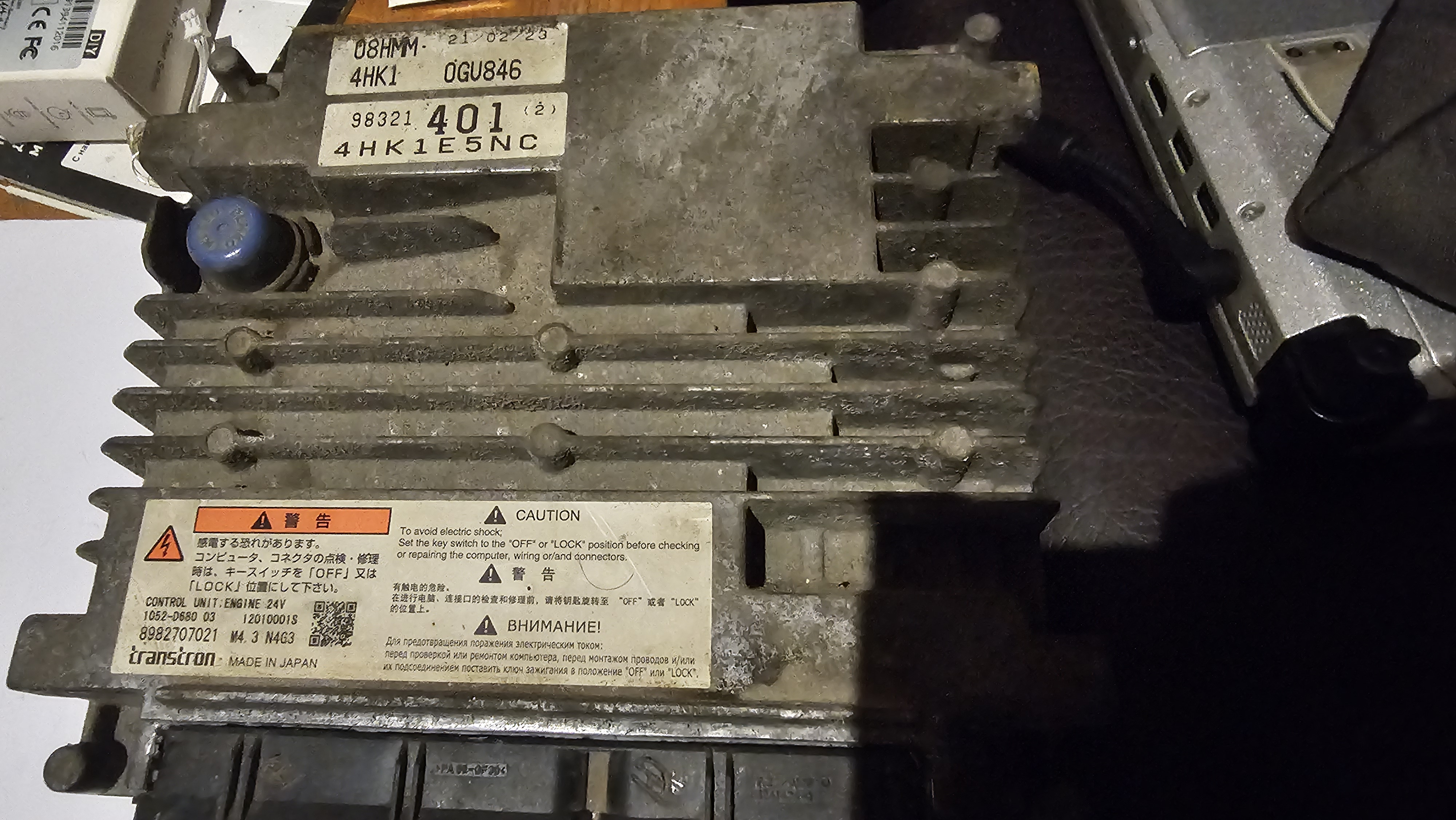
    Доброго времени суток. Подскажите пожалуйста решение. Дело было так) Чтение через обд, час и восьмь минут. При записи через ОБД на первых секундах ошибка. (Желею что не снял сразу) На связь блок не выходит. На столе теперь тоже. Благодарю за понимание)

Account

Navigation

Поиск

Поиск

Configure browser push notifications

Chrome (Android)
  1. Tap the lock icon next to the address bar.
  2. Tap Permissions → Notifications.
  3. Adjust your preference.
Chrome (Desktop)
  1. Click the padlock icon in the address bar.
  2. Select Site settings.
  3. Find Notifications and adjust your preference.