Перейти к контенту
View in the app

A better way to browse. Learn more.

MMCFLASH

A full-screen app on your home screen with push notifications, badges and more.

To install this app on iOS and iPadOS
  1. Tap the Share icon in Safari
  2. Scroll the menu and tap Add to Home Screen.
  3. Tap Add in the top-right corner.
To install this app on Android
  1. Tap the 3-dot menu (⋮) in the top-right corner of the browser.
  2. Tap Add to Home screen or Install app.
  3. Confirm by tapping Install.

KVA71780

MMC User
  • Регистрация

  • Последнее посещение

  1. Всем спасибо. Извините, как говорится поторопился. Просто не тот ключ был, есть еще такой-же ключ (похожий). Тему можно закрыть.
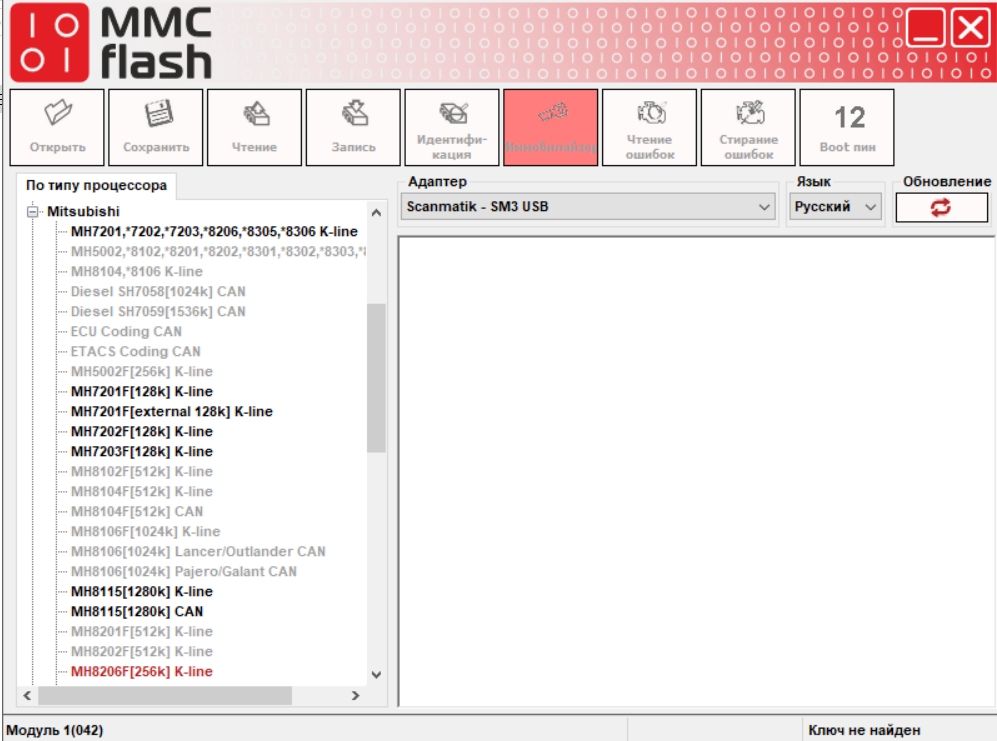
  2. Добрый вечер. Какое-то время не пользовался флешером. На данный момент не вить ключ (dongle). Что нужно сделать чтобы это исправить/

Account

Navigation

Поиск

Поиск

Configure browser push notifications

Chrome (Android)
  1. Tap the lock icon next to the address bar.
  2. Tap Permissions → Notifications.
  3. Adjust your preference.
Chrome (Desktop)
  1. Click the padlock icon in the address bar.
  2. Select Site settings.
  3. Find Notifications and adjust your preference.