Перейти к контенту
View in the app

A better way to browse. Learn more.

MMCFLASH

A full-screen app on your home screen with push notifications, badges and more.

To install this app on iOS and iPadOS
  1. Tap the Share icon in Safari
  2. Scroll the menu and tap Add to Home Screen.
  3. Tap Add in the top-right corner.
To install this app on Android
  1. Tap the 3-dot menu (⋮) in the top-right corner of the browser.
  2. Tap Add to Home screen or Install app.
  3. Confirm by tapping Install.

reactor

MMC User
  • Регистрация

  • Последнее посещение

  1. тема форума ответил на Bruce Willis автора reactor в Описание Модулей
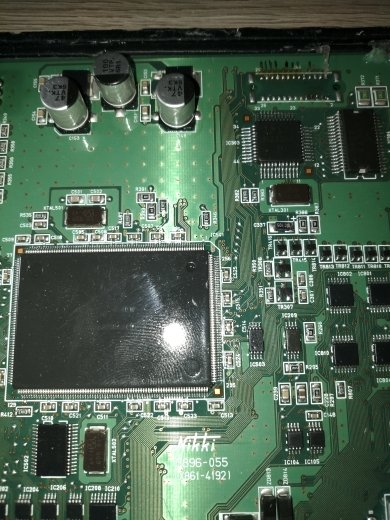
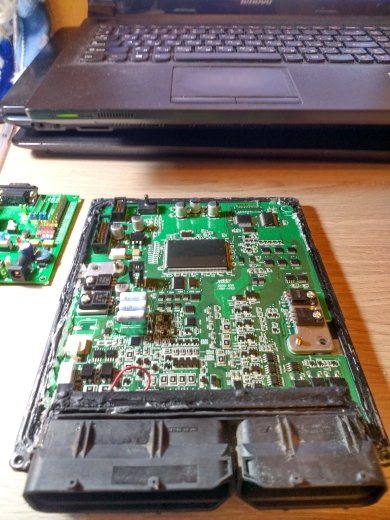
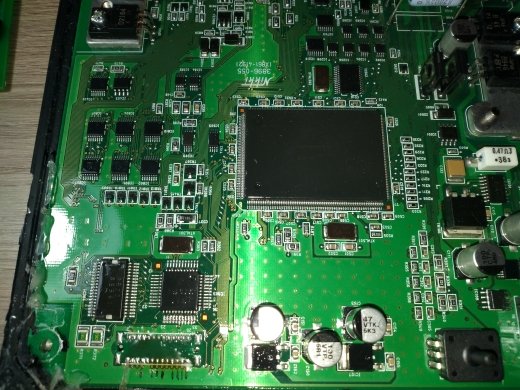
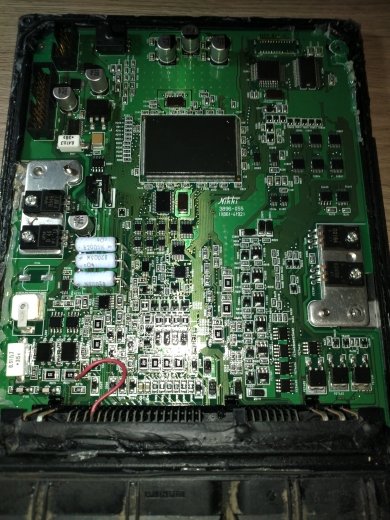
    Есть Исузу с двигателями 4hv1 на метане стоят на ПАЗ, модуль будет работать с данным блоком? ,на борту sh7058, как не грыз его и piasini, Ktag не соединяются. У блок есть и CAN, и K-Line, на плате название блока Nikki 3896-055 (X861-41921)
  2. reactor изменил свою фотографию
  3. тема форума ответил на Bruce Willis автора reactor в Скидки и акции
    Пишусь. Комплект модулей Ford: 8M+9M+11M+14M+15M+19M+21M+22M+27M+28M и модули по отдельности: 46M, 47M, 49M, 51M, 52M, 53M, 54M, 55M
  4. Откройте пожалуста доступ к хелпу ключ № 103

Account

Navigation

Поиск

Поиск

Configure browser push notifications

Chrome (Android)
  1. Tap the lock icon next to the address bar.
  2. Tap Permissions → Notifications.
  3. Adjust your preference.
Chrome (Desktop)
  1. Click the padlock icon in the address bar.
  2. Select Site settings.
  3. Find Notifications and adjust your preference.