Перейти к контенту
View in the app

A better way to browse. Learn more.

MMCFLASH

A full-screen app on your home screen with push notifications, badges and more.

To install this app on iOS and iPadOS
  1. Tap the Share icon in Safari
  2. Scroll the menu and tap Add to Home Screen.
  3. Tap Add in the top-right corner.
To install this app on Android
  1. Tap the 3-dot menu (⋮) in the top-right corner of the browser.
  2. Tap Add to Home screen or Install app.
  3. Confirm by tapping Install.

Rukmal

Пользователи
  • Регистрация

  • Последнее посещение

  1. тема форума ответил на Bruce Willis автора Rukmal в For English Users
    it is not a problem for use tool. you can use it without any problem. but he will reply you. please send him correct full details
  2. тема форума ответил на mototroonik автора Rukmal в For English Users
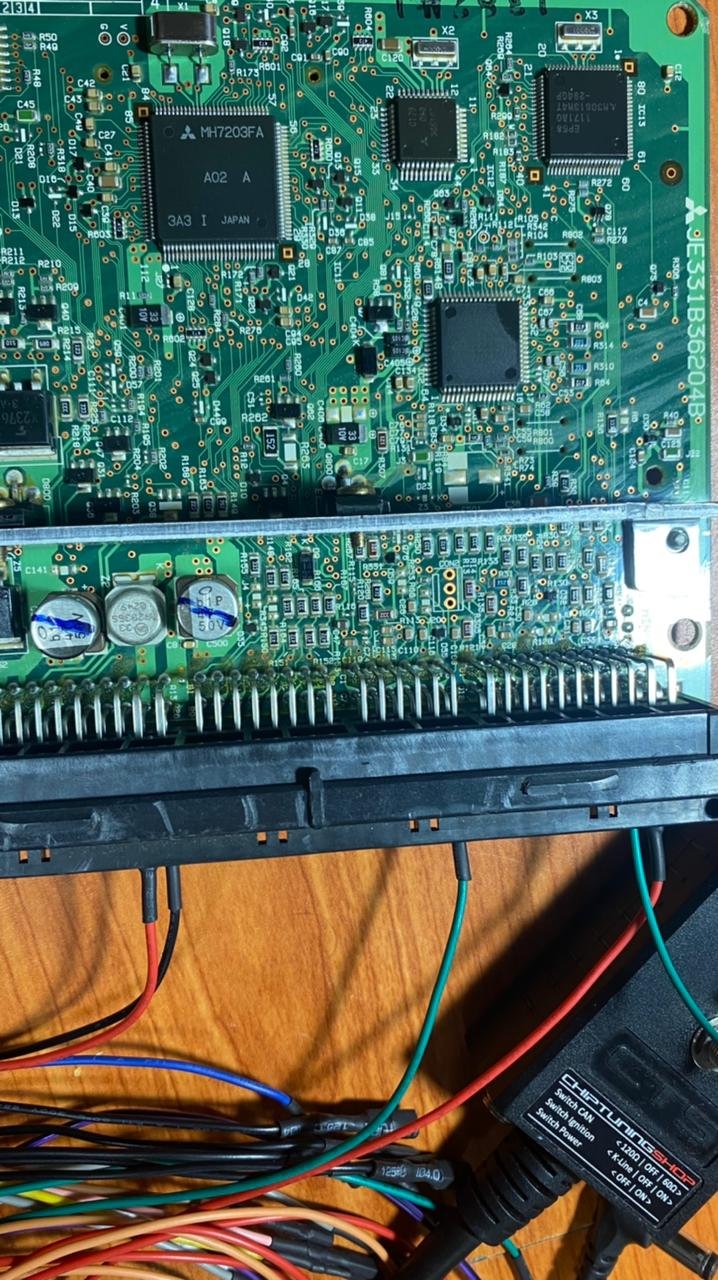
    Hello I can Help you. please tell me more details. what is engine model? what is ecu? post some ecu photo too i can help you. first at all write ori file back. and check ecu communication ok or not.
  3. тема форума ответил на mototroonik автора Rukmal в For English Users
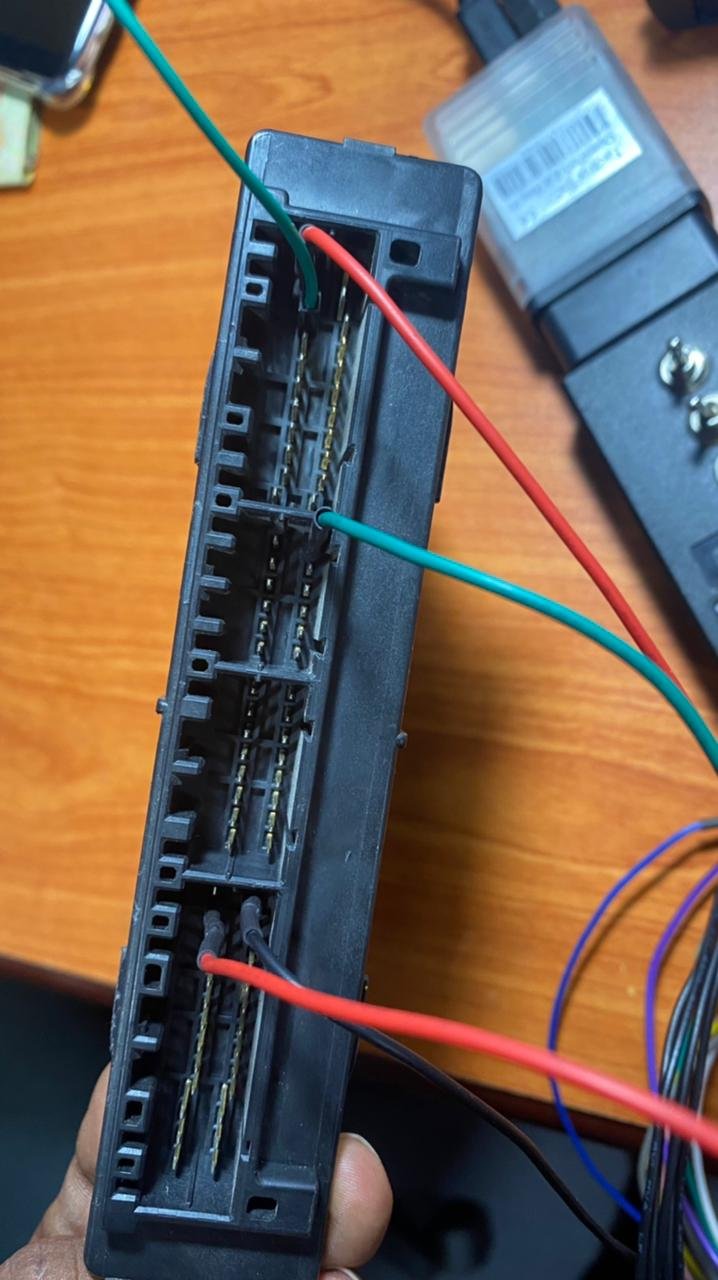
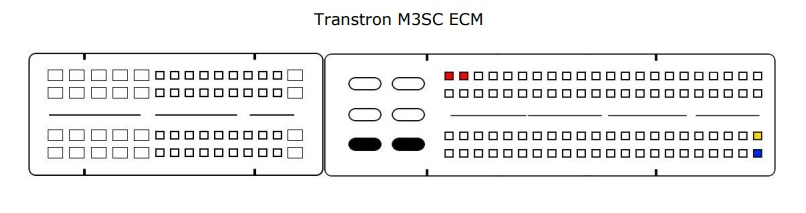
    Isuzu transtron M3SC Support pin out for read write ecu via CAN BUS on table. this pin out 100% with mmcflasher i have tested my hand Ground - Black 12V / 24V - Red Blue - CAN L Yellow - CAN H
  4. тема форума ответил на Rukmal автора Rukmal в Mitsubishi
    Ecu reading / writing ok. but immo not moved. anybody have any idea about this matter ?
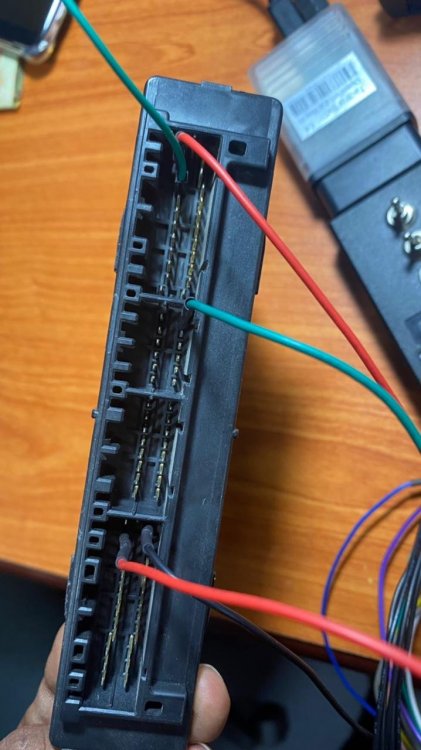
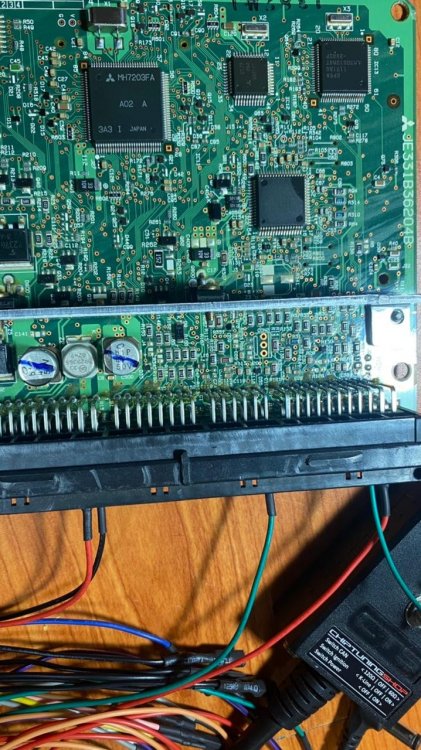
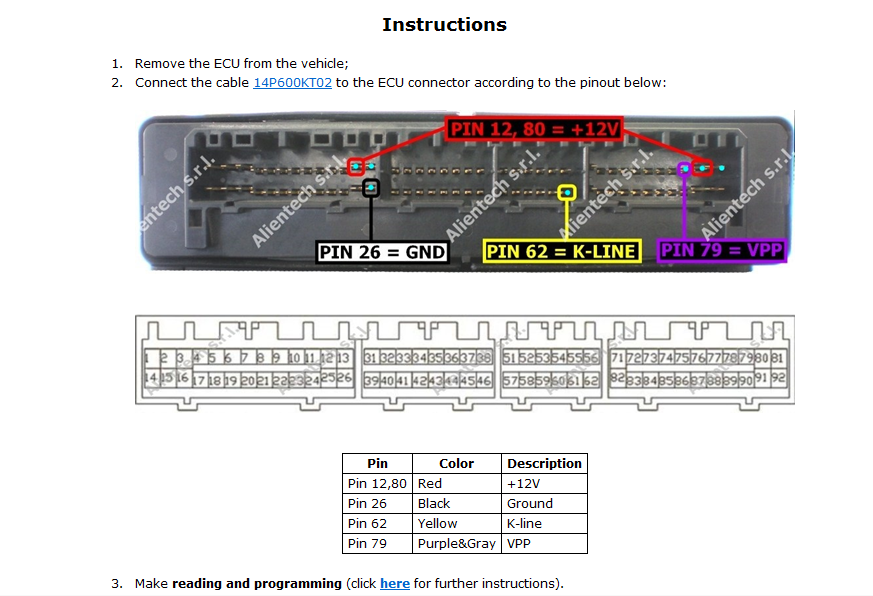
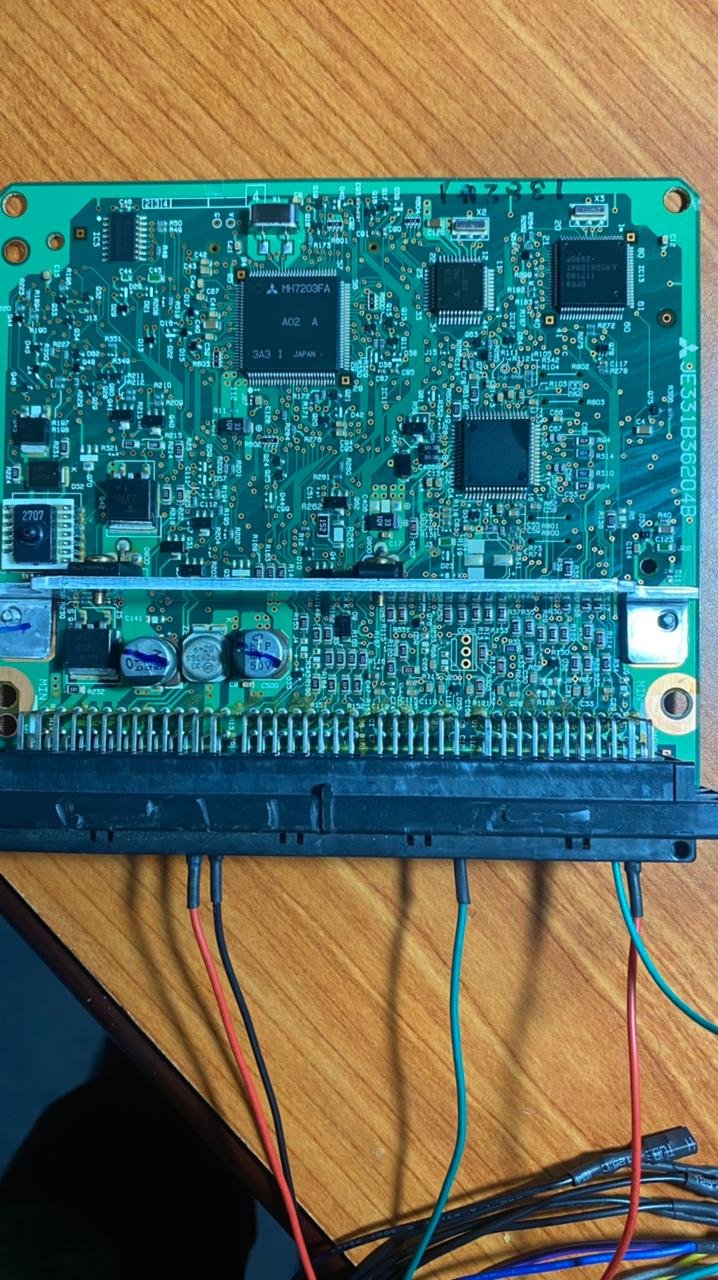
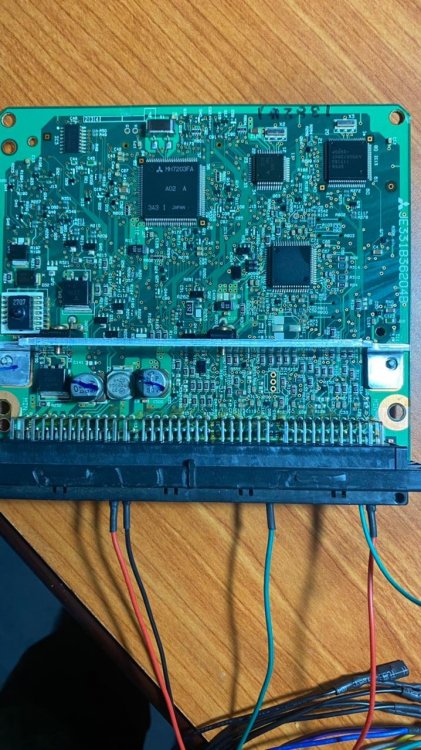
  5. Hello I have mitsubishi Pajero 2000 / 2002. Melco ECU MH7203FA. I need Remove Immobilizer. i used Openport with Aux Boot pin. but unable to read ecu. reading failed. i need to know how to connect this ecu and read. i connected VPP pin to AUX Thank you
  6. тема форума ответил на Bruce Willis автора Rukmal в For English Users
    hello i bought mmcflasher from Ecutools.eu. before buy mmcflasher i registered mmcflasher website. but now i can not input my usb key to website profile and unable to update my mmcflasher software. what to do now?

Account

Navigation

Поиск

Поиск

Configure browser push notifications

Chrome (Android)
  1. Tap the lock icon next to the address bar.
  2. Tap Permissions → Notifications.
  3. Adjust your preference.
Chrome (Desktop)
  1. Click the padlock icon in the address bar.
  2. Select Site settings.
  3. Find Notifications and adjust your preference.